Unified access management
Unifying fragmented user, group, and access management to make admin work clearer today — and to build a stronger foundation for enterprise scale, automation, and AI-native administration.
$450K
per year support cost reduction
41s → 8s
reduced user access management time
3.2 → 6.1
SEQ score on user management
0%→100%
task completion on access management
Role
Senior product designer
Type
Enterprise systems redesign and future-state vision
Team
Cross-functional product, design, and engineering team
Outcome
Unified fragmented access management into a clearer, faster admin experience, while shaping the future foundation for scalable governance, automation, and AI-native administration.
Part I. Shipped unified access management
At Atlassian, access management is fragmented based on sites, which made the product harder for admins to use and harder for teams to evolve. this project focused on unifying the core users, groups, and apps experience that drove 77% of Admin Hub activity, so all orgs could move toward one shared model instead of different paths depending on setup. I worked across both the shipped experience and the longer-term direction: simplifying day-to-day user and group management while helping shape the future of access management.
The challenge
A fragmented system
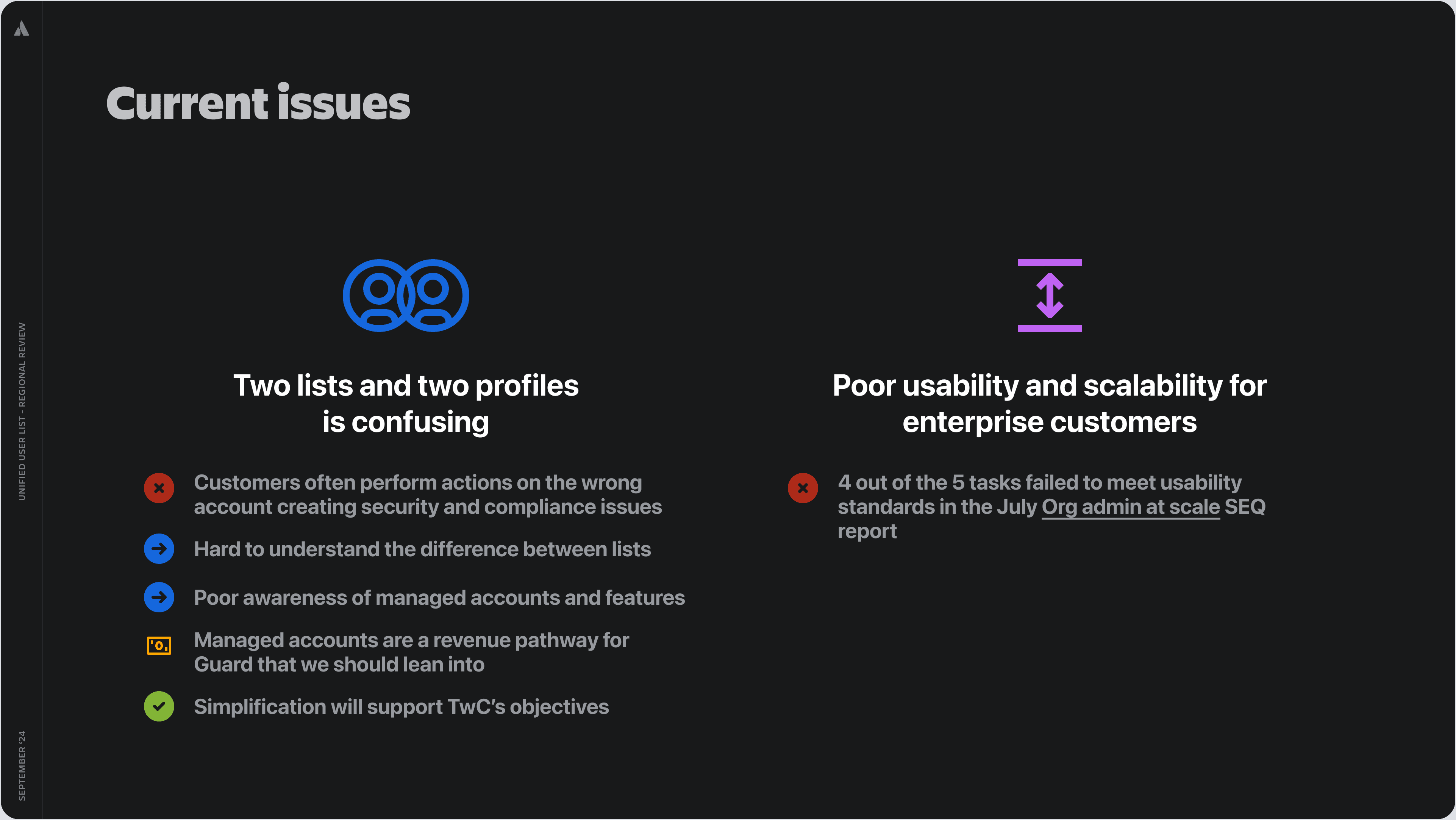
Admins had to work across 2 user lists, 2 profiles for each site; and 20+ touchpoints just to understand who someone was, what access they had, and what action to take. This was a major problem because org admins spent 80% of their time in user management, and the old managed-account deletion flow performed extremely poorly in testing: SEQ 0 for delete account, SEQ 3.4 for resolving the billing-contact error, both well below the 5.5 usability benchmark. On the broader setup journey, enterprise customers took a median 143 days to reach “mass add” and around 18 months to realize value, while admins were still spending 60–70% of their time on manual UAM.
Admins were trying to do three things well: understand access clearly, take the right action confidently, and manage at scale efficiently.
Admins needed to:
Understand access clearly — who has access, through which group, app, site, or role.
Take the right action confidently — add, remove, or update access without security mistakes.
Manage access at scale — across large organisations with many users, groups, apps, and sites.
But the current system made this hard because the same user could appear across multiple profiles, lists, and site-level views.
Why this mattered:
This was not just a usability issue. Fragmented access management created:
Efficiency cost — admins spent too much time navigating and resolving access issues.
Support cost — access management contributed to support burden, with a ~$450K annual reduction opportunity.
Enterprise trust risk — unclear access visibility made governance and compliance harder.
Growth constraint — poor scalability slowed adoption for larger organisations.
Approach and process
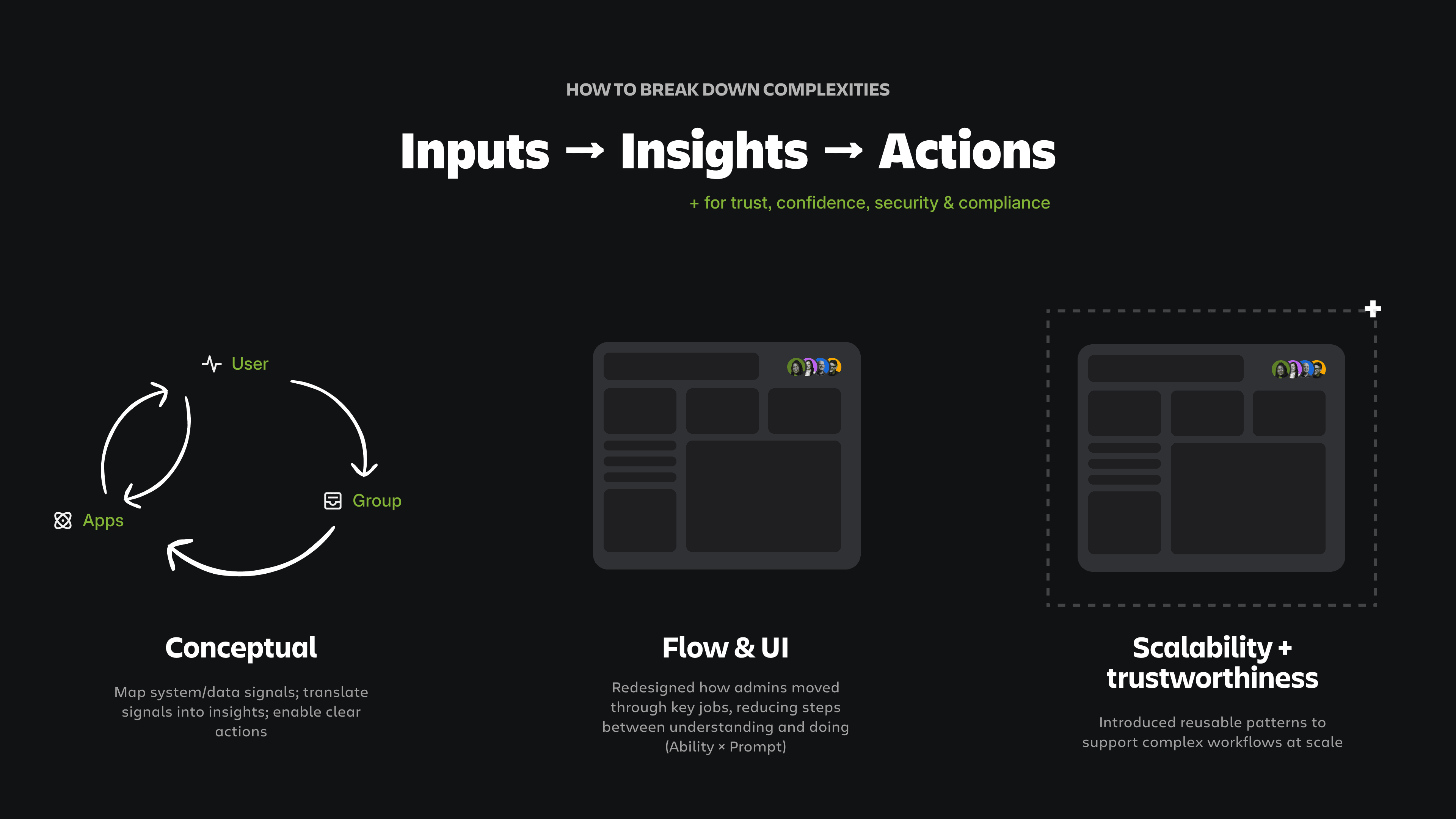
From conceptual models, to a scalable system, to a simple experience
I approached this as a systems problem, not just a UI cleanup. That meant simplifying the model across users, managed accounts, groups, and access, and creating patterns teams could reuse instead of rebuilding the same thing in different places. This mattered because this project was designed to remove duplication and help Atlassian build once for all customers, while also unblocking partner teams like Central AI.
I broke the problem down across three layers:
1. Conceptual model
Mapped users, groups, apps, sites, permissions, roles, and access paths into a clearer system model.
2. Flow and information hierarchy
Redesigned how admins moved from understanding access to taking action.
3. Scalable UI patterns
Created reusable list, profile, filtering, and action patterns that could support enterprise-scale data.
Layered approach - design for inputs to insights to actions with trust, confidence, security & compliance threading through.
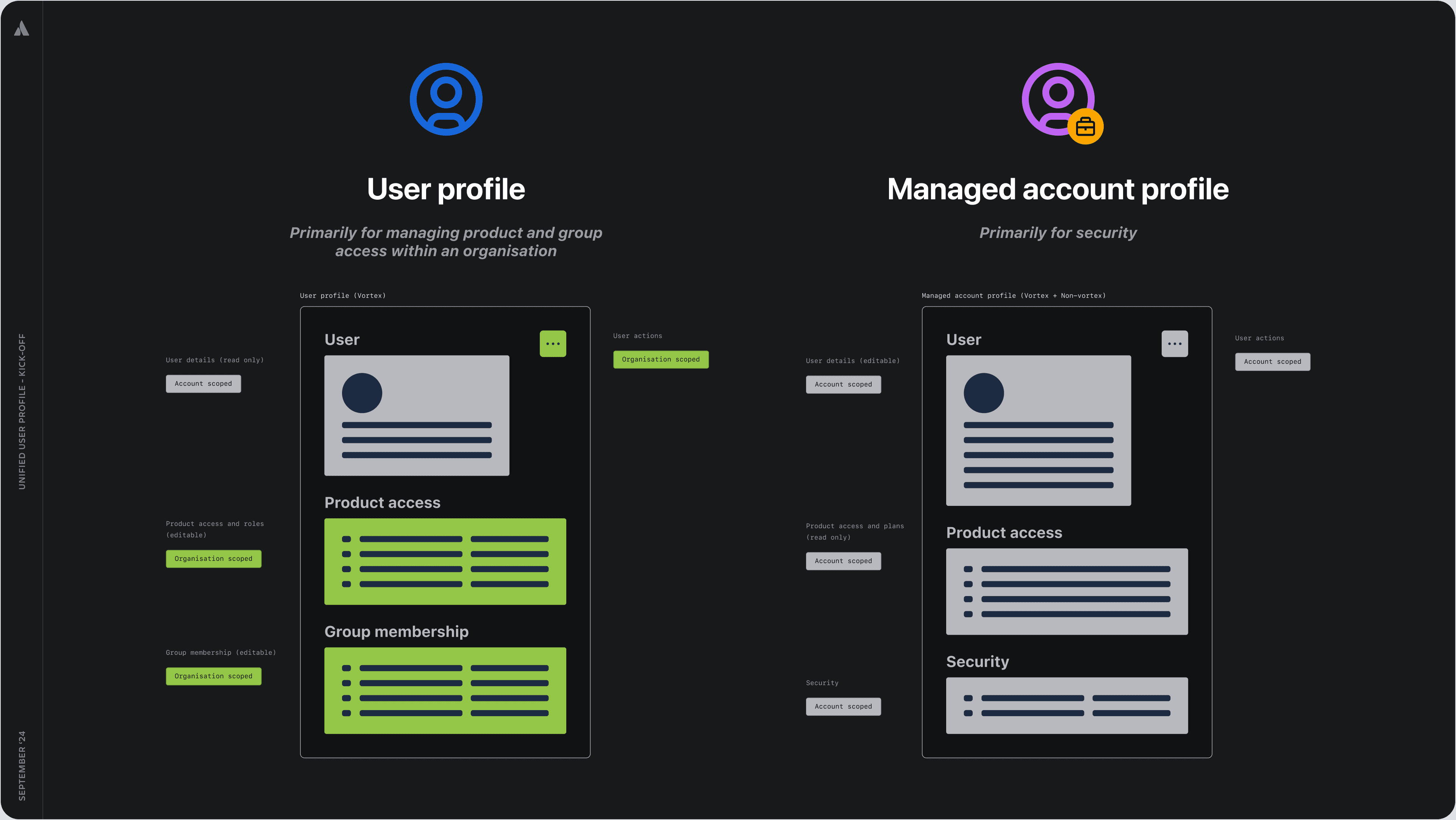
Conceptual model analysis example - how to combine user with managed accounts
Exploration & iteration on user profile pages
Outcome
1. Unifying how user, groups, and apps are managed
A major outcome of this work was making user, group, and access management feel like one connected experience instead of a set of separate admin tools. Across the first and second releases, this project moved the org-level experience toward one user list and one profile, giving admins a clearer mental model and a more consistent path to manage access. This improved both usability and business impact: key users-and-groups tasks scored 6.1–6.8 in SEQ, and key consulting clients’ access management effort improved from 41 seconds to 8 seconds, while the unified foundation also supported enterprise-scale administration across 500k users, 200k groups, and 600+ sites.
Unified user list - example outcomes
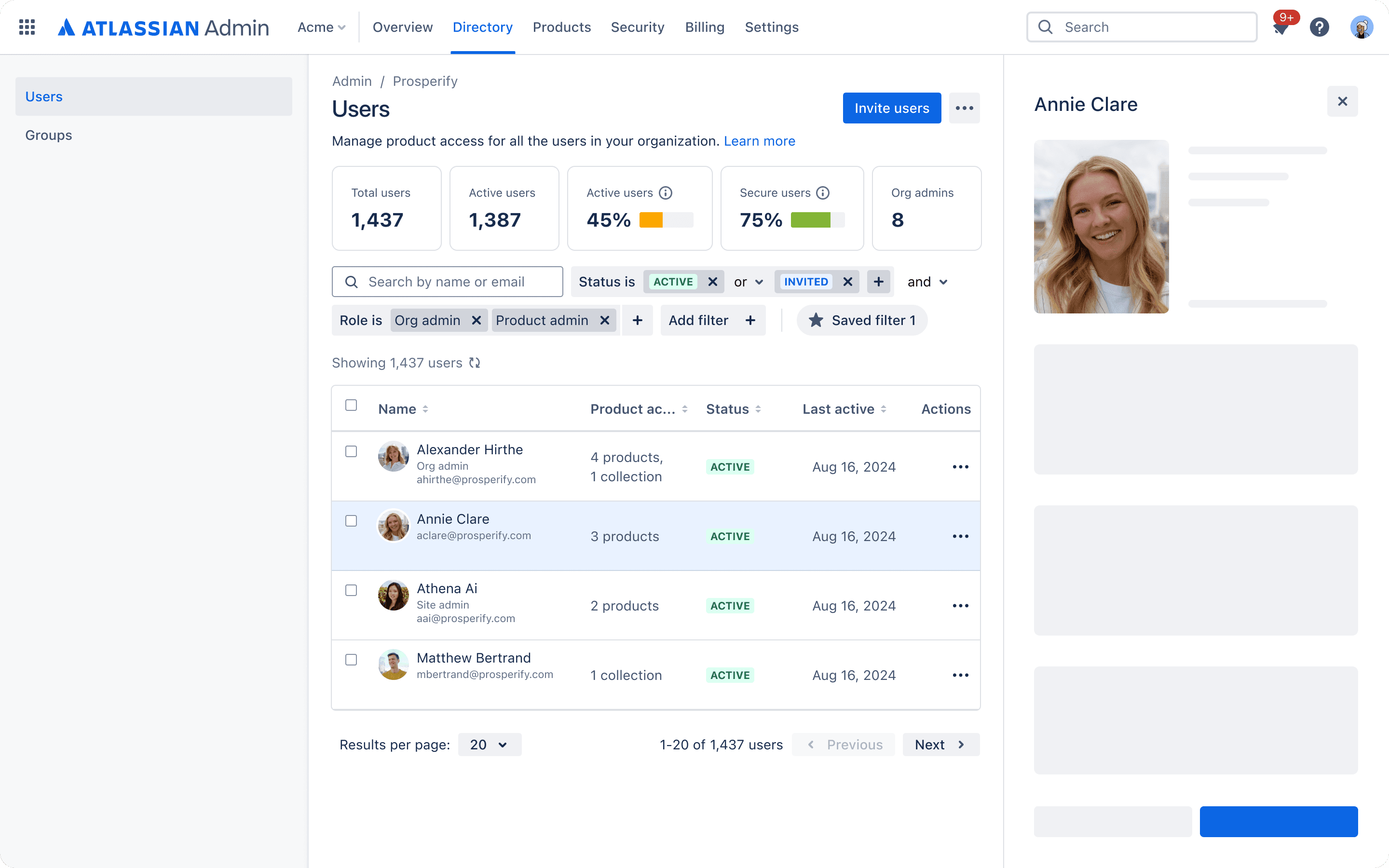
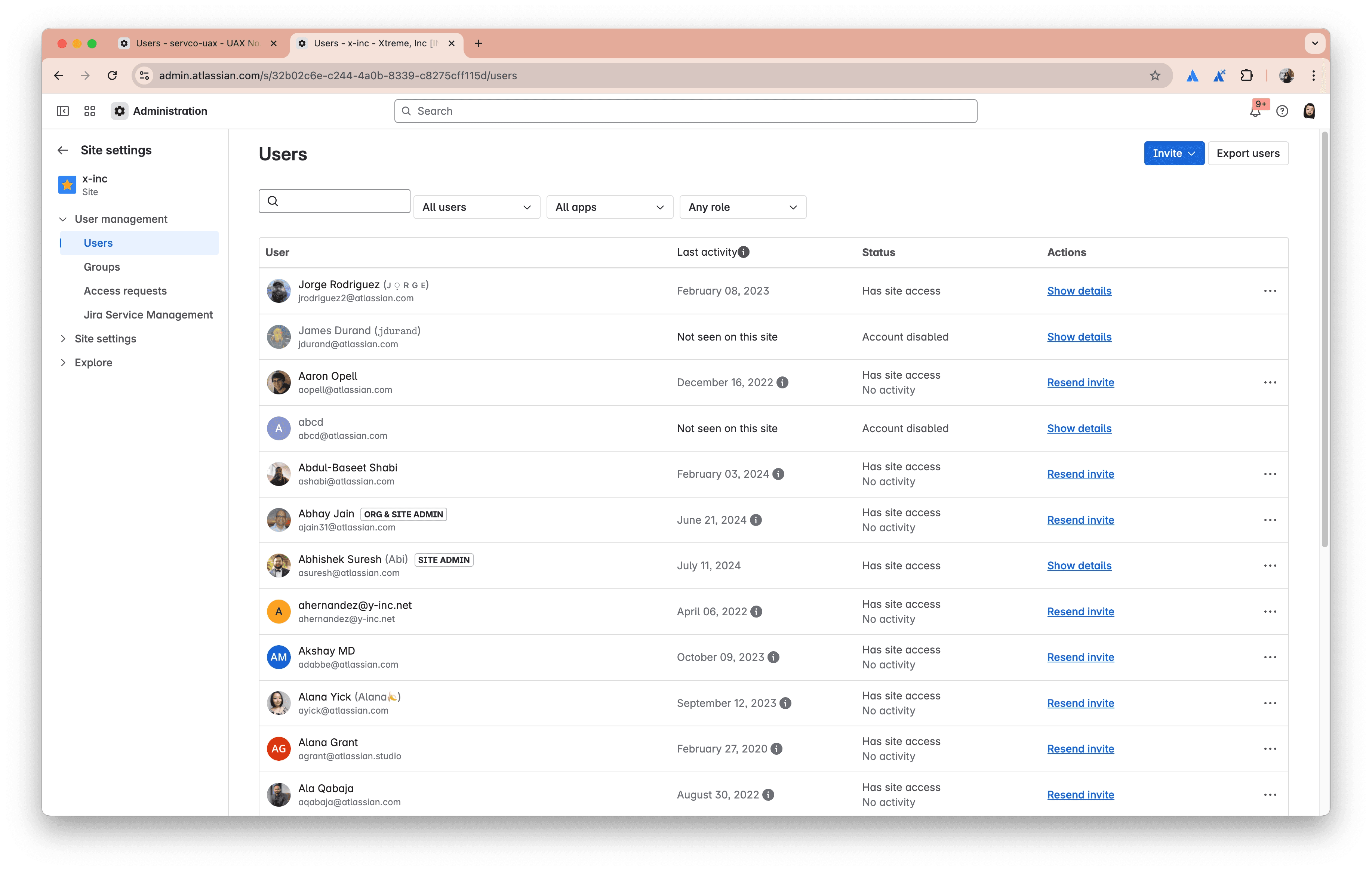
Before - each site has its own list of users, causing duplicated effort. Admins had to move across separate site-level user lists, creating duplicated effort and low confidence.
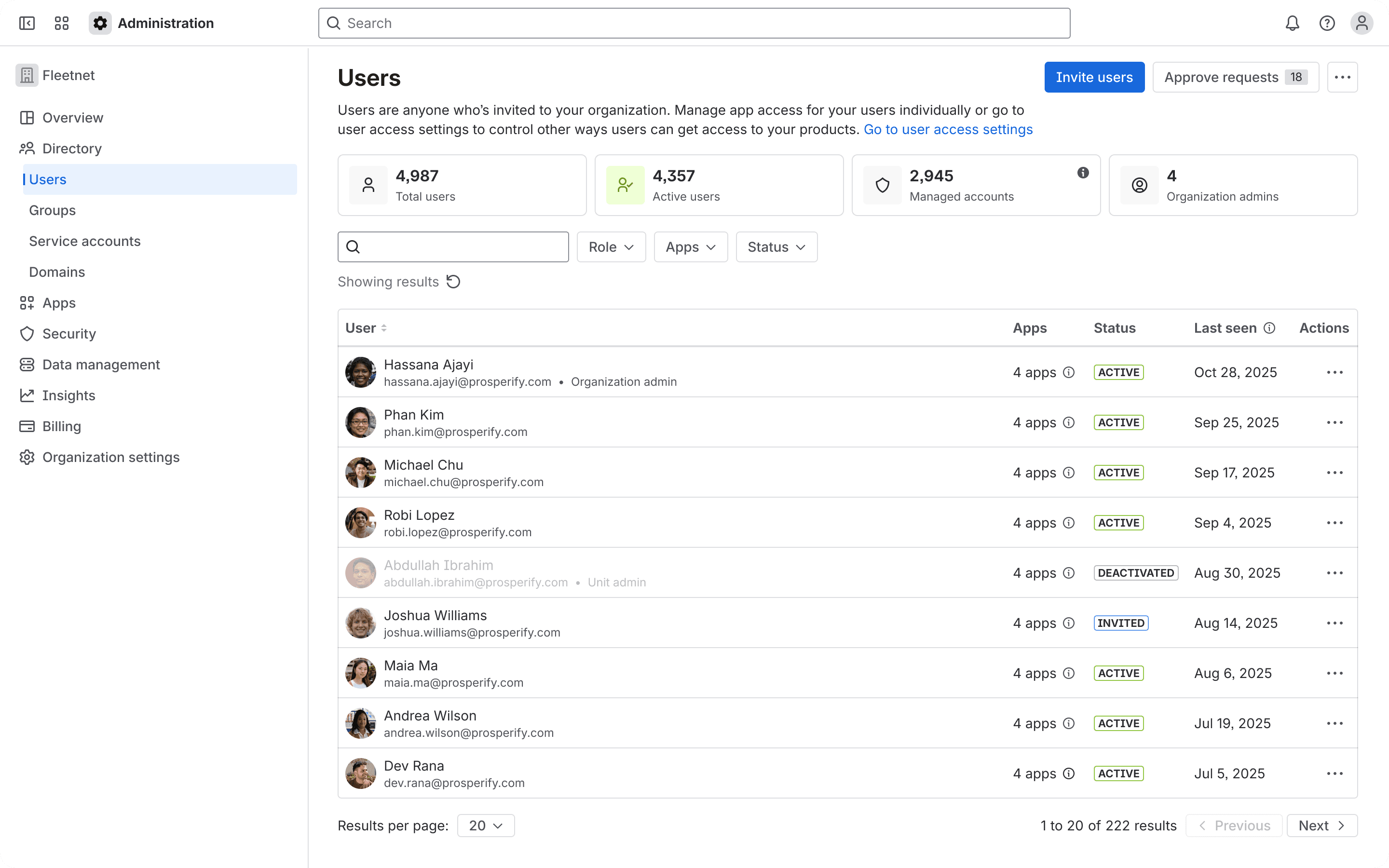
After - create one org-level user list with clearer status, product, role, and access signals. Admins could scan users across the organisation and take action from a single, more consistent place.
Unified user profiles - example outcomes
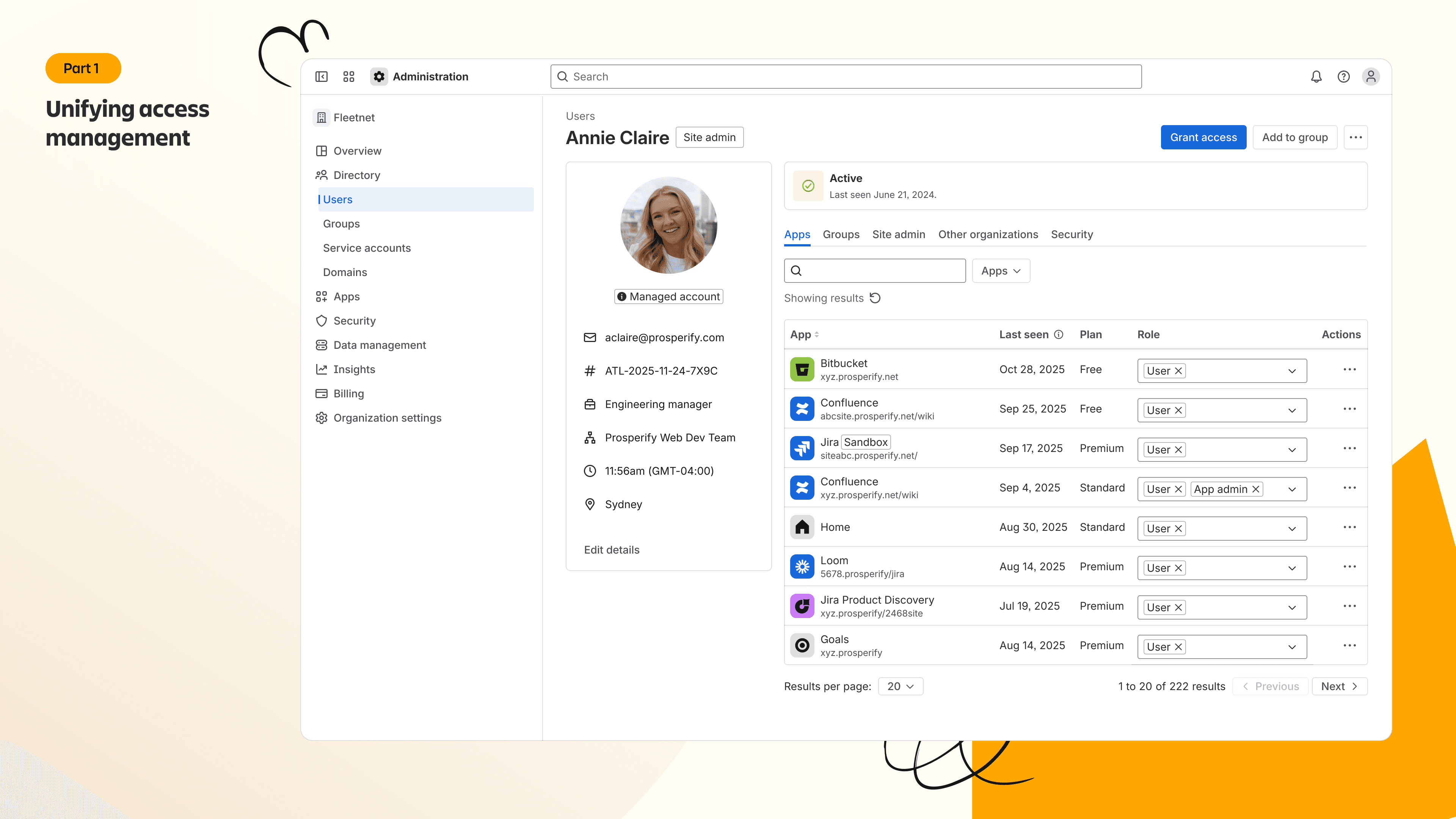
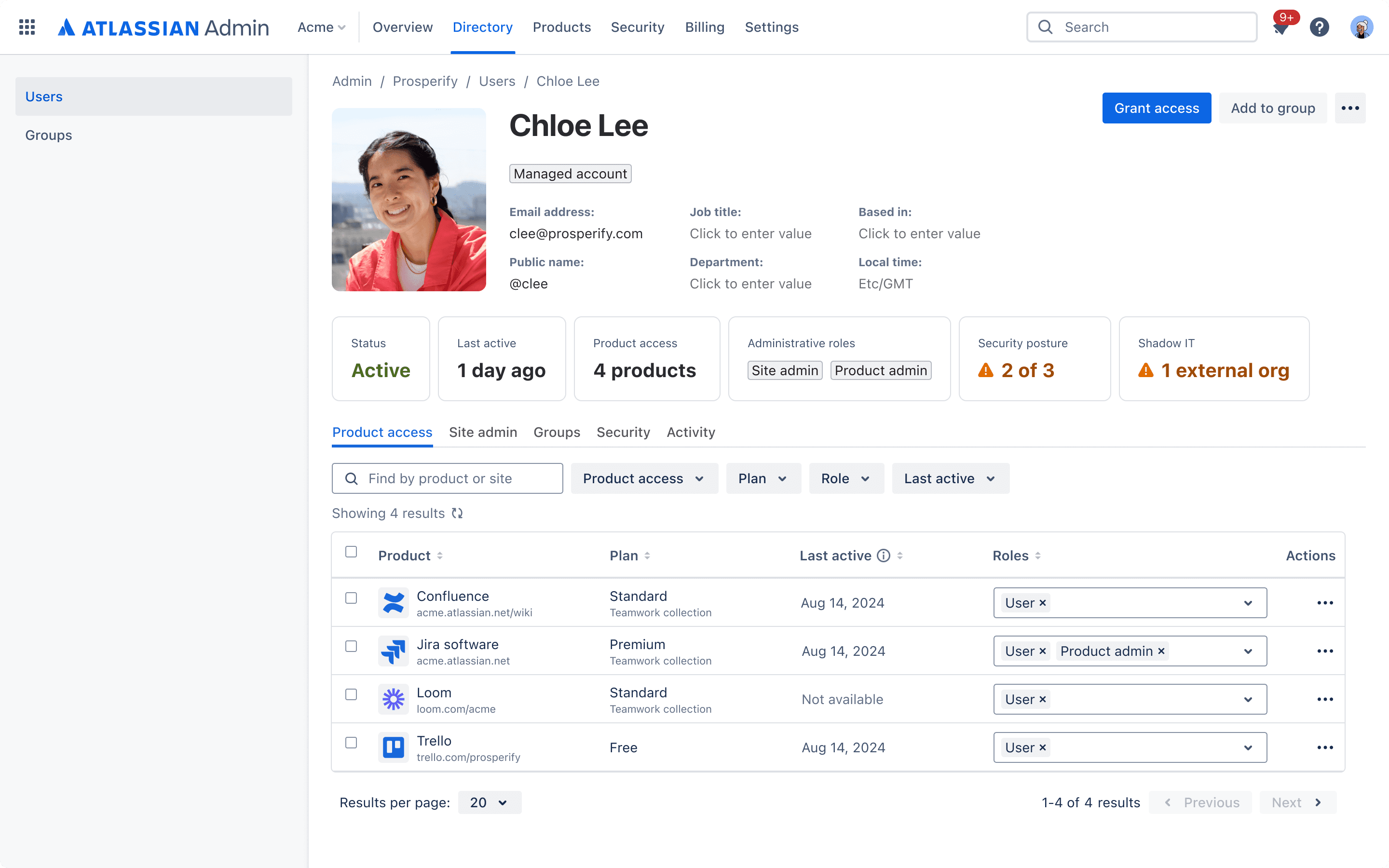
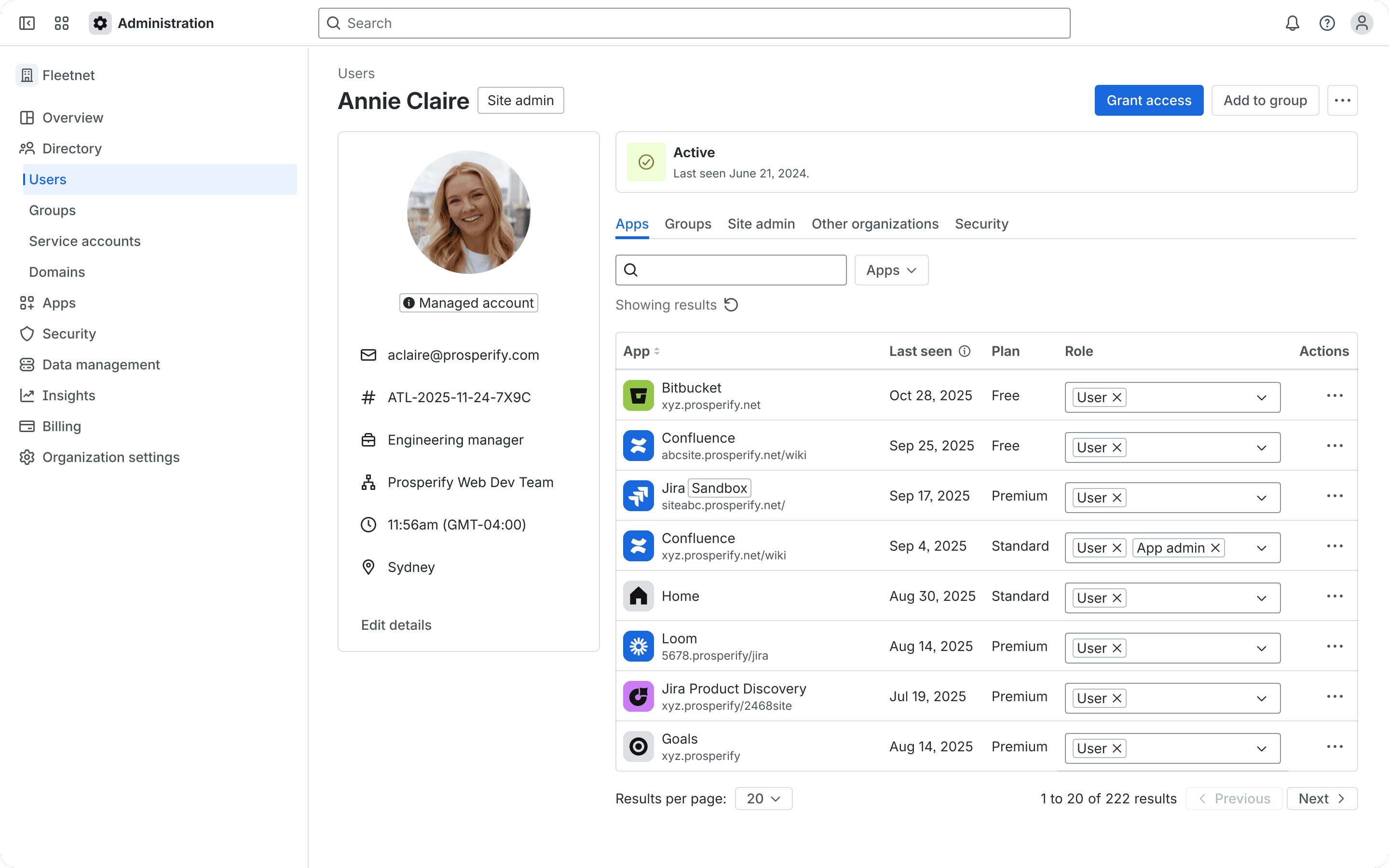
Create one org-level user profile that brings together the user’s identity, product access, group membership, roles, and key admin actions into a single, structured view.
Why it worked:
This structure matched the priority of admin tasks. It made key signals and actions easier to find, reduced unnecessary navigation, and helped admins make faster access decisions.
It also improved scalability because the same pattern could support more apps, groups, sites, and future entities without making the page feel overloaded.
User profile before - The user profile was tied to individual sites, making it hard for admins to understand a user’s full access across the organisation. Key information and actions were scattered, so admins had to piece together identity, access, and next steps manually.
After - Admins could understand a user’s access from one central place, scan their products and permissions more easily, and take action without jumping between multiple site-level pages.
After - the key user flow of: search & find the user within Admin Hub, review user status & access details, grant users access by adding the user to group. (Demonstrated via the Replit code-based prototype.)
Unified group profiles - example outcomes
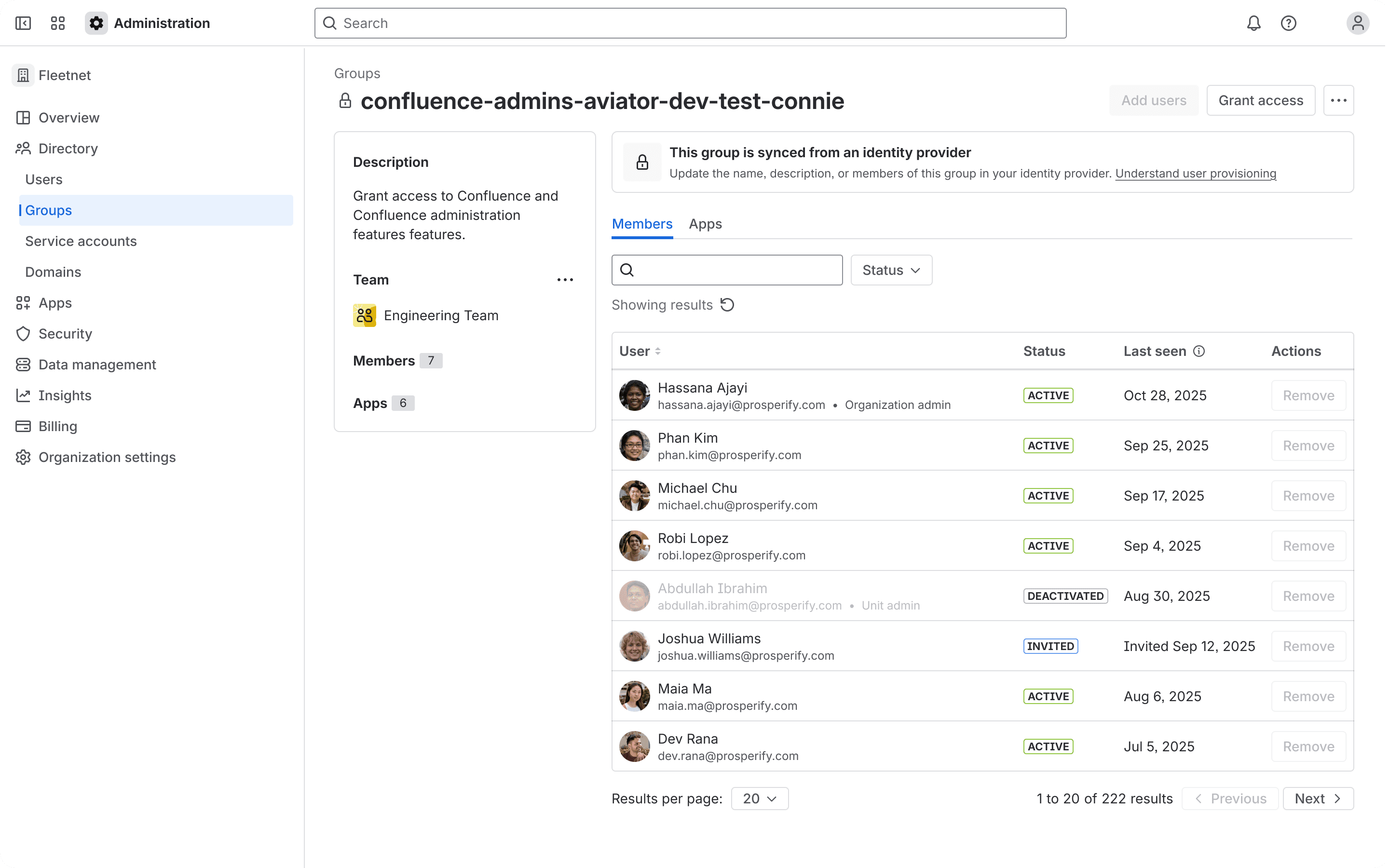
Create a consistent org-level group profile that mirrors the structure of the user profile, with clearer member lists, access context, and scalable layout patterns.
Why it worked:
It made groups easier to understand as reusable access structures, not just isolated lists of members sitting in the different site. This helped admins manage access at scale, supported more consistent governance, and created a foundation for future expansion.
Before - Group management was fragmented and hard to scale. Admins had limited visibility into group members, product access, and the role a group played across the organisation, which made it harder to manage permissions confidently.
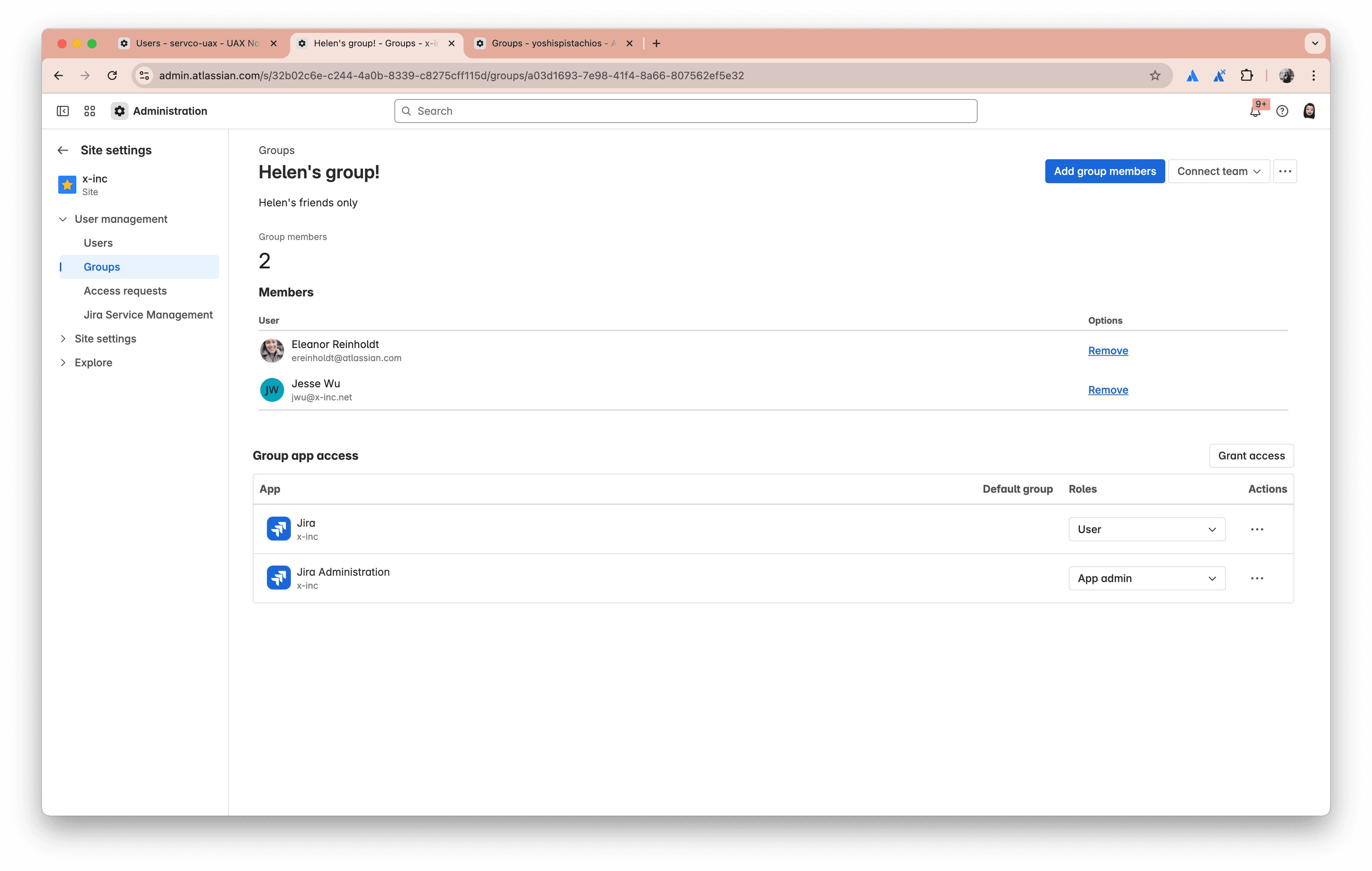
After - group profile in the org level with clear, scalable layout. Admins could manage group membership, understand what access the group enabled, and review related users or apps from a more consistent and centralised view.
Impact of unified access release
Improved usability, speed, and scale at the same time
The shipped Unified Admin Experience improved access management across three areas: usability, speed, and scale.
For admins, key user and group management tasks scored 6.1 to 6.8 on the Single Ease Question (SEQ), above the 5.5 benchmark, with access management tasks reaching 100% completion. For enterprise customers, a key access management workflow improved from 41 seconds to 2 seconds, helping admins move through high-volume access tasks faster.
At scale, the new experience created a stronger foundation for enterprise access management, with the ability to support up to 500,000 users, 250,000 groups, and 8,000 apps. The work also created an estimated support cost reduction opportunity of up to $450,000 per year by reducing confusion, duplicated effort, and access-related support needs.
For the business, the first and second releases created a stronger platform, not just a better interface. Together, they gave Admin Experience org reusable components that saved multiple sprints of effort.
$450K
per year support cost reduction
500k
users target to support
200-250K
groups target to support
8K
apps target to support
41s → 8s
reduced user access management time
3.2 → 6.1
SEQ score on user management
3.0 → 6.8
SEQ score on group management
100%
task completion on access management
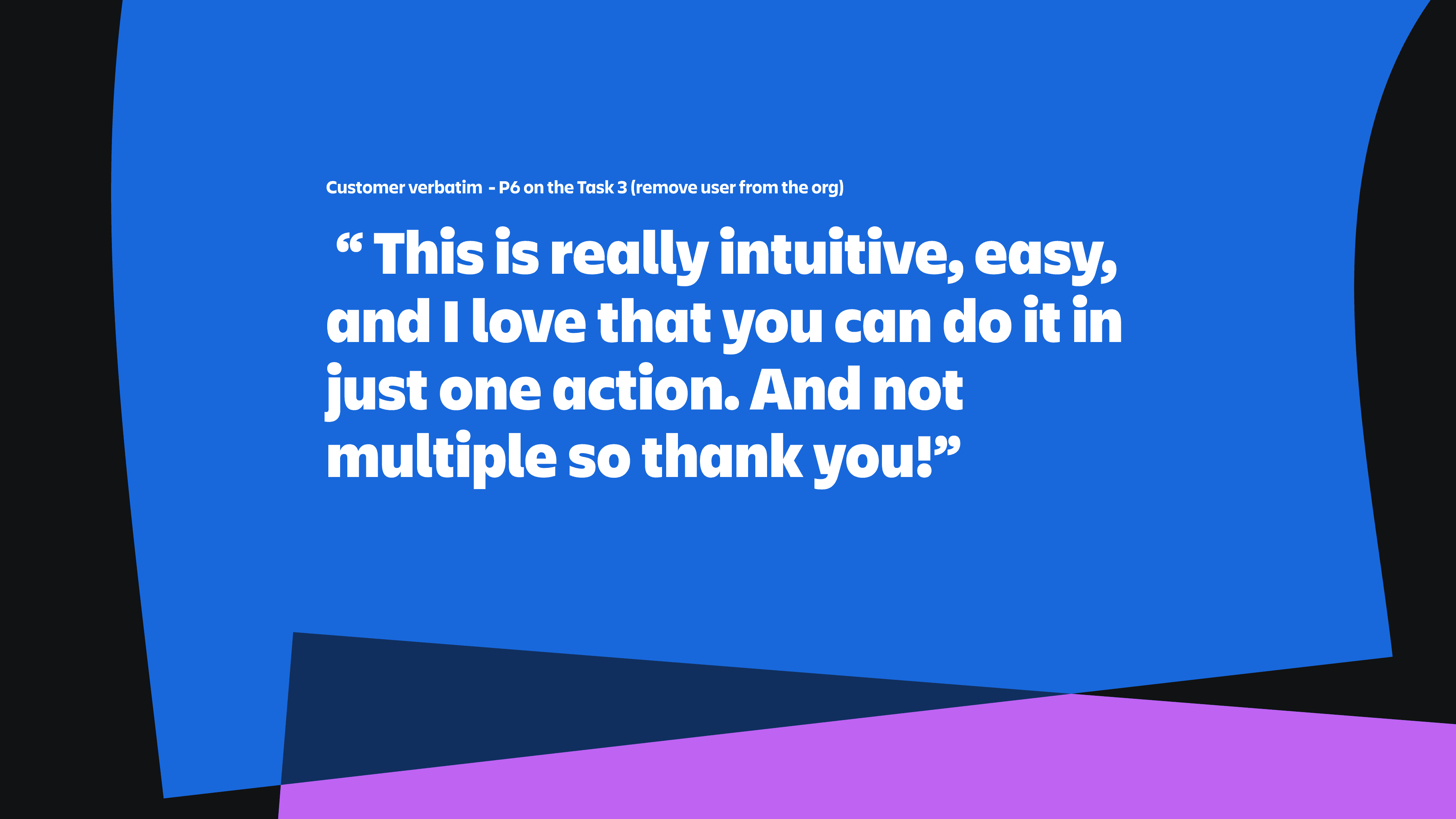
Customer verbatim from SEQ testing - the important signal here wasn’t just usability, it was confidence and reduced operational friction in sensitive workflows.
Part II. Vision for future access management
The shipped work made the current experience much better, but it also exposed the deeper issue which is for the large enterprises, the manual workflow is never sustainable and even with the bulk management.
At the same time not every admin prefers the blind path of automation script and API; they still want to leverage the UI and visual experience of Admin Hub to enhance their efficiency. They needs something much more powerful in terms of the workflow.
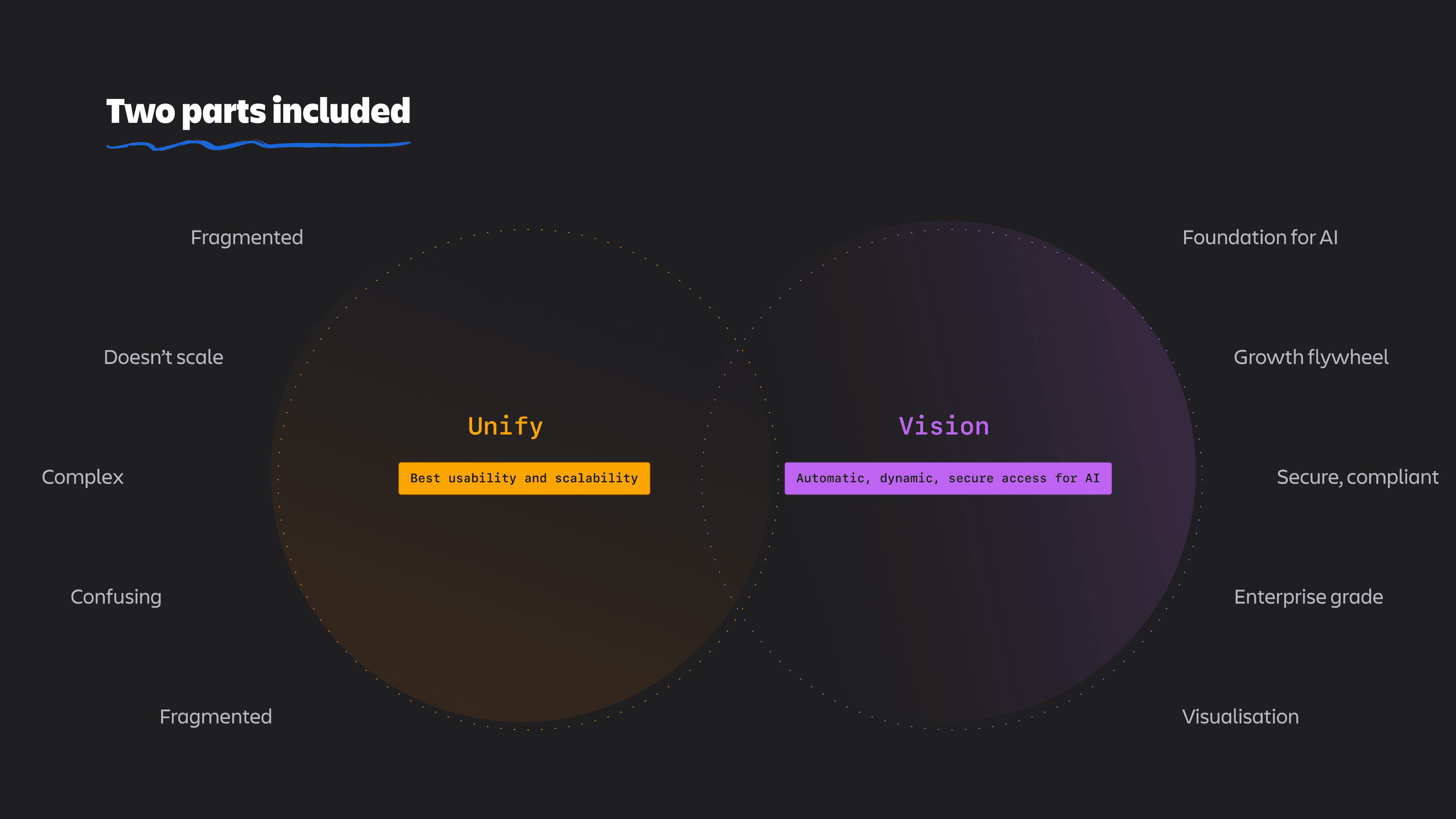
So this leads to our vision work - it asked a different question: what would access management look like if it were designed to scale from the start.
The data showed why this mattered: fragmented user access model was tied to 18-month time-to-value, 20+ disconnected touchpoints, and 60–70% of admin time spent on manual access management.
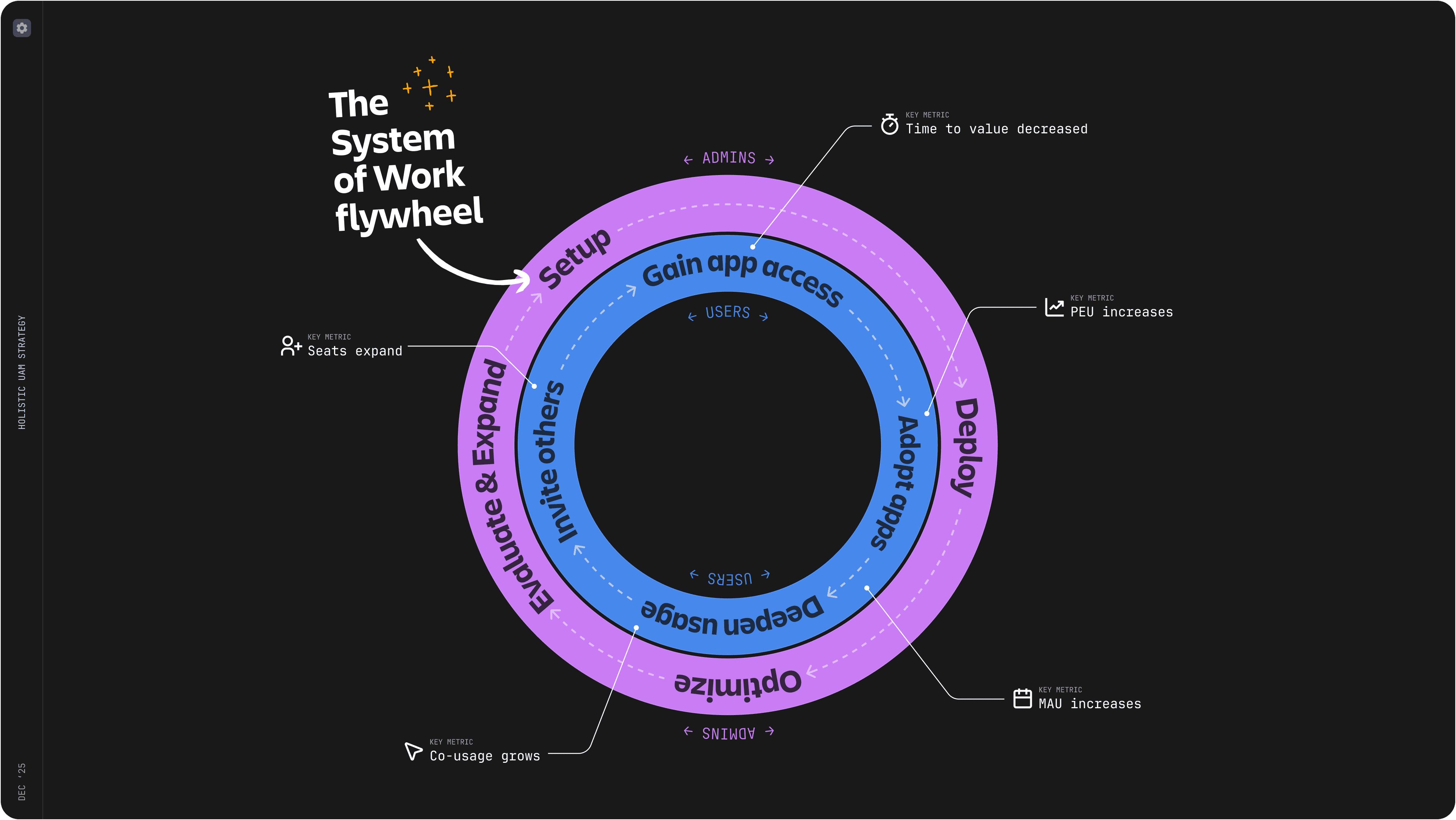
System of Work flywheel as a business goal for the vision
From setup to deployment to optimisation, admins are the ones that drive the access model that enables their users to align, plan and track work, unleash knowledge.
Reducing friction around access management will create a compounding loop that will drive PEU (paid enbaled users), system of work adoption, and AI readiness by providing more comprehensive sets of data.
Problem
"[Set up] is just a huge amount of mental load… and also so much time that we spend… trying to sort through all this stuff… we’re running reports and writing scripts… that’s again not what we want to do…"
Vision
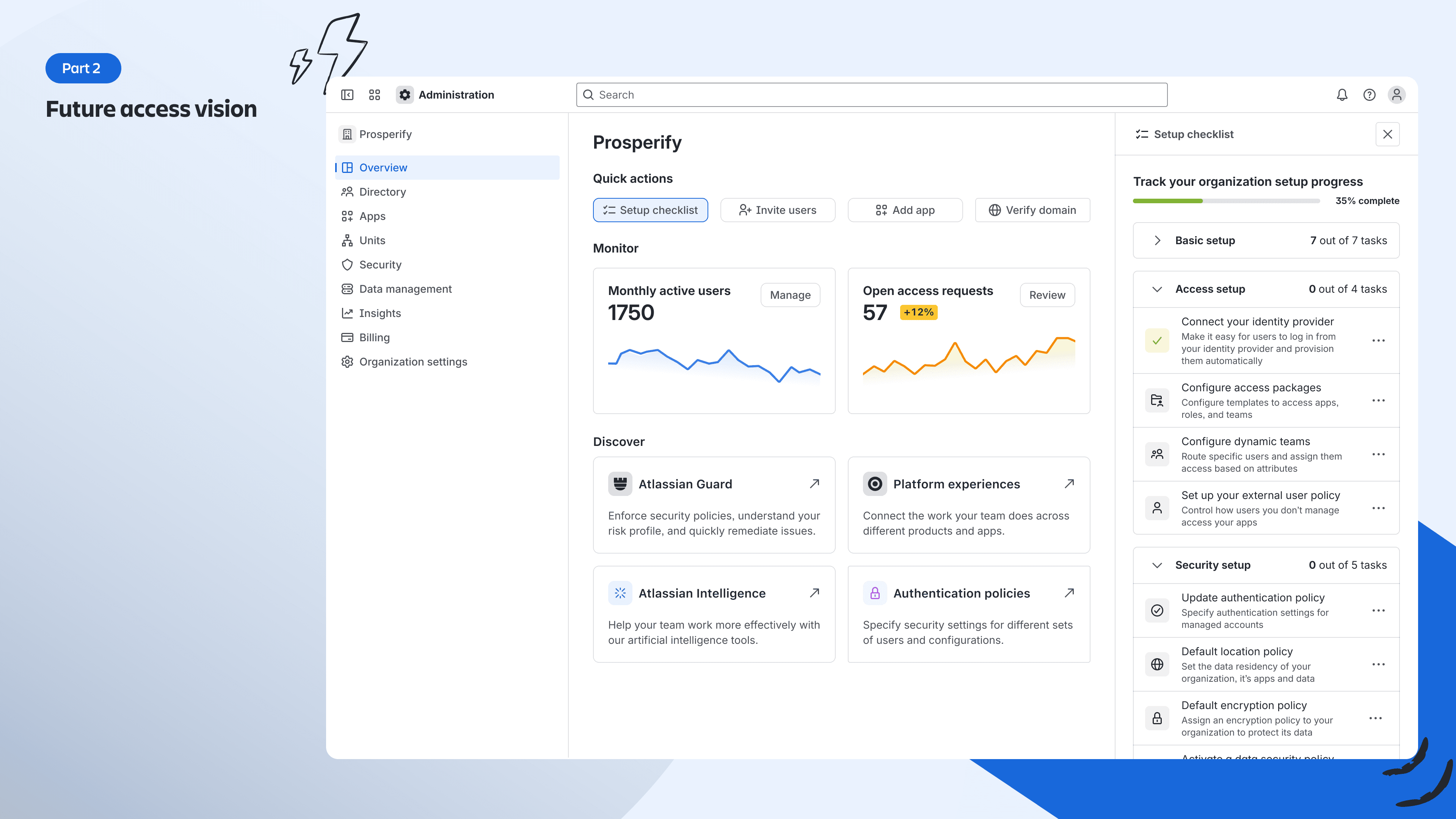
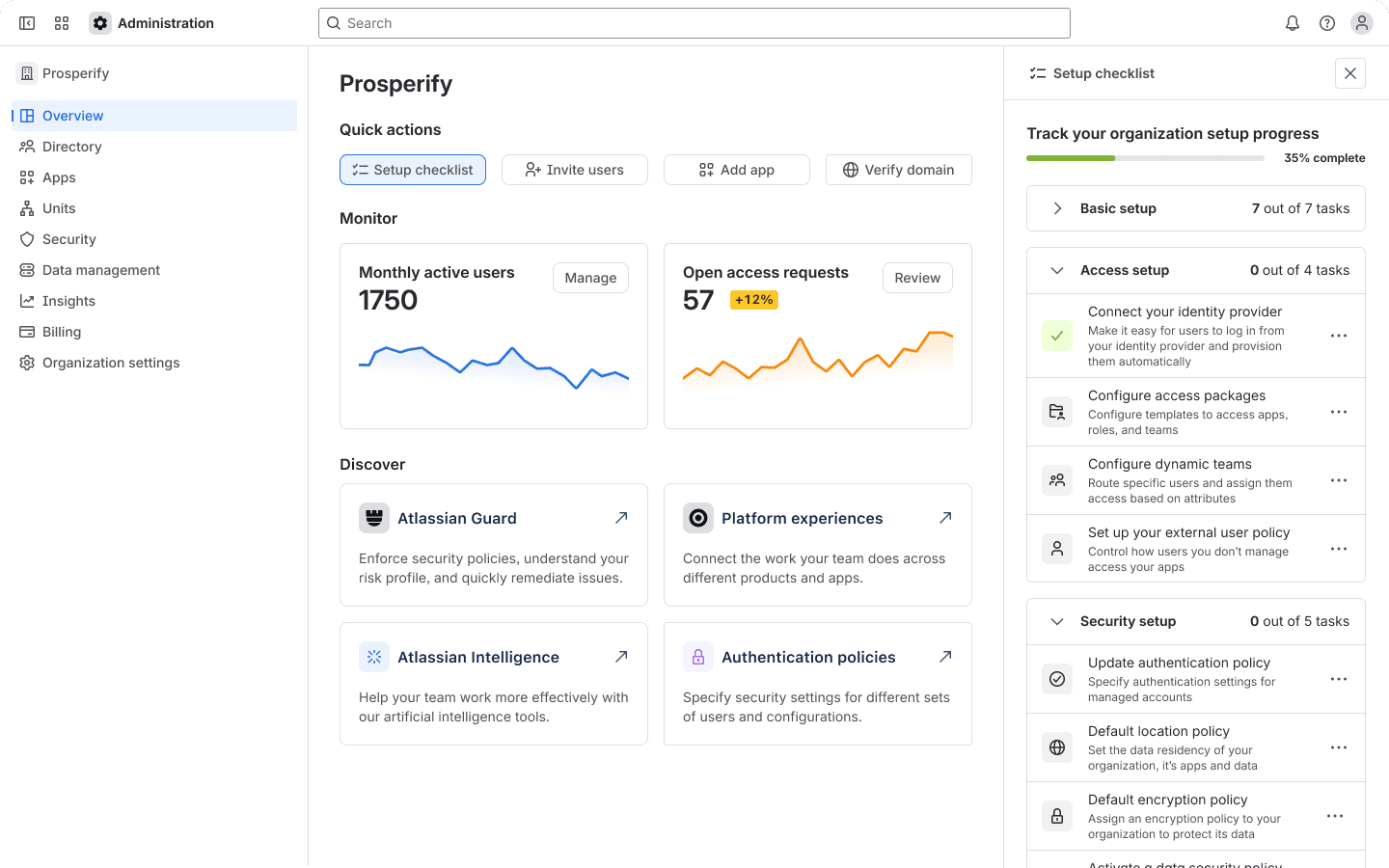
Guided setup - onboard admins by getting to know their org and their needs with a wizard to personalize their setup experience.
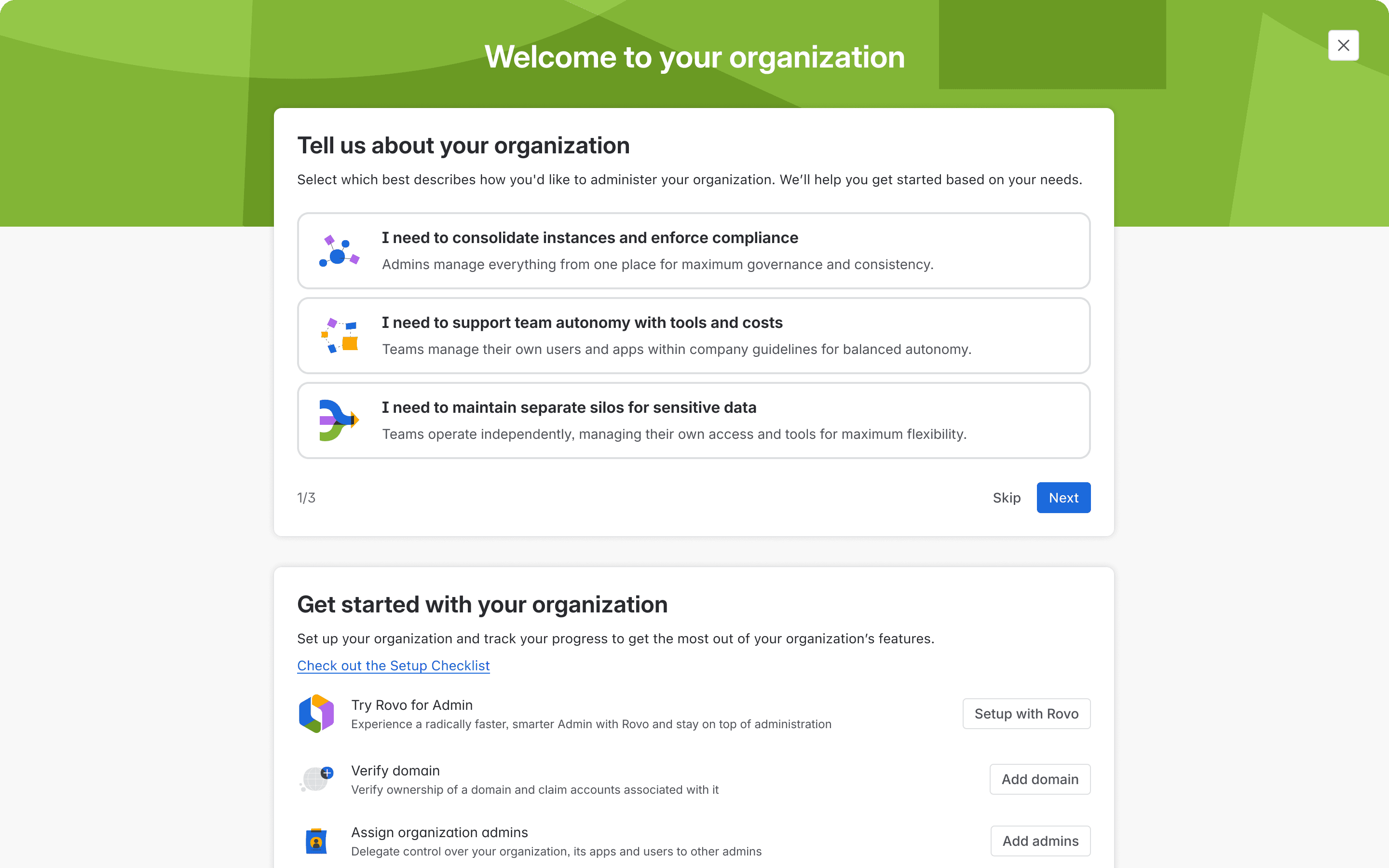
We’ll optimize their setup as they deploy their apps with a setup guide on the overview page.
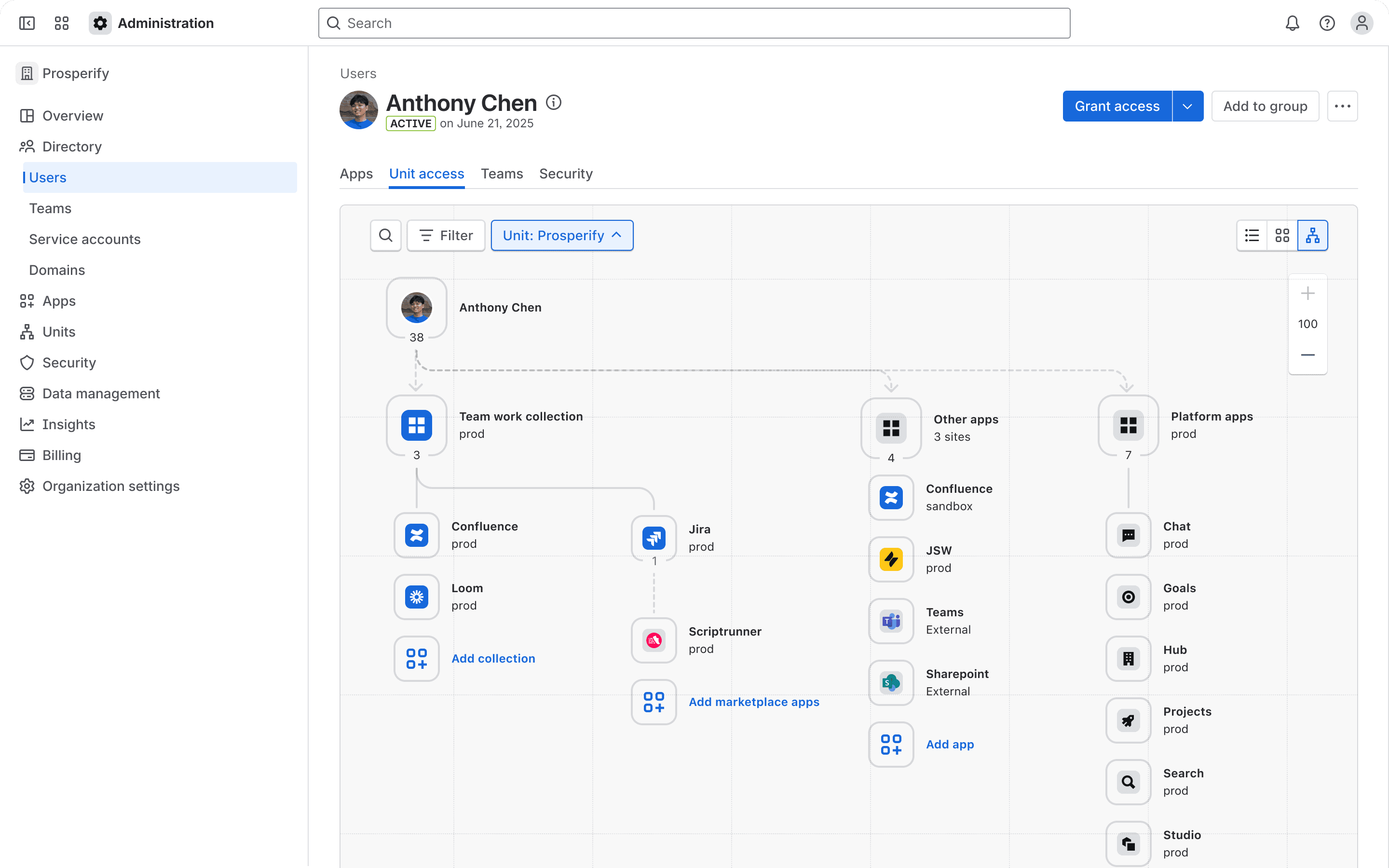
Node-based access visualisation — simplifies understanding access
Problem
“We have so many different Atlassian products and each one has its own set of permissions and roles. It’s really hard to keep track of who has access to what, especially when people move teams or projects.”
Vision
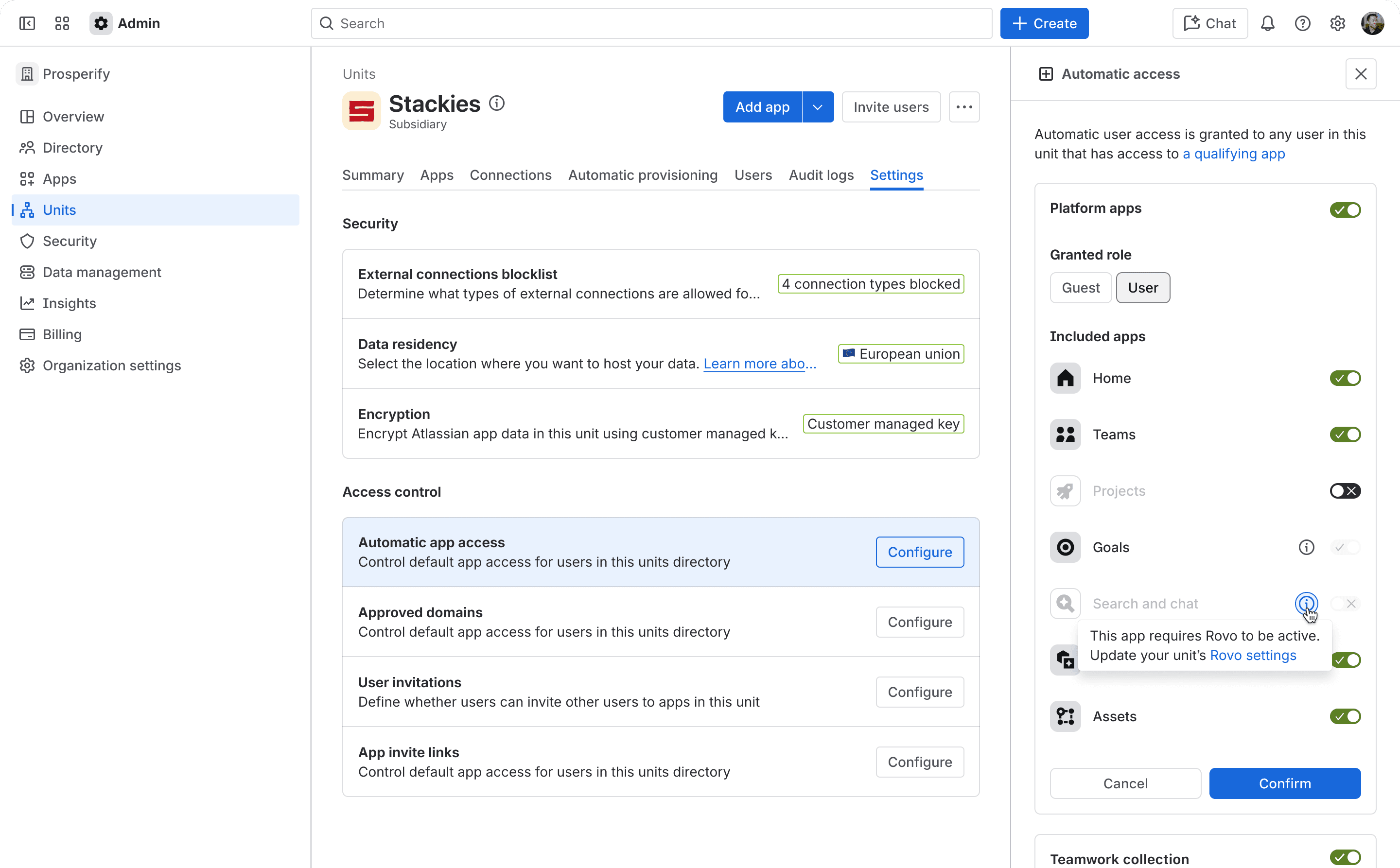
Automatic access - Automatic access is a unit-level default access configuration to ensure all unit members with qualifying app access will have a sufficient minimum baseline for collaboration within that unit.
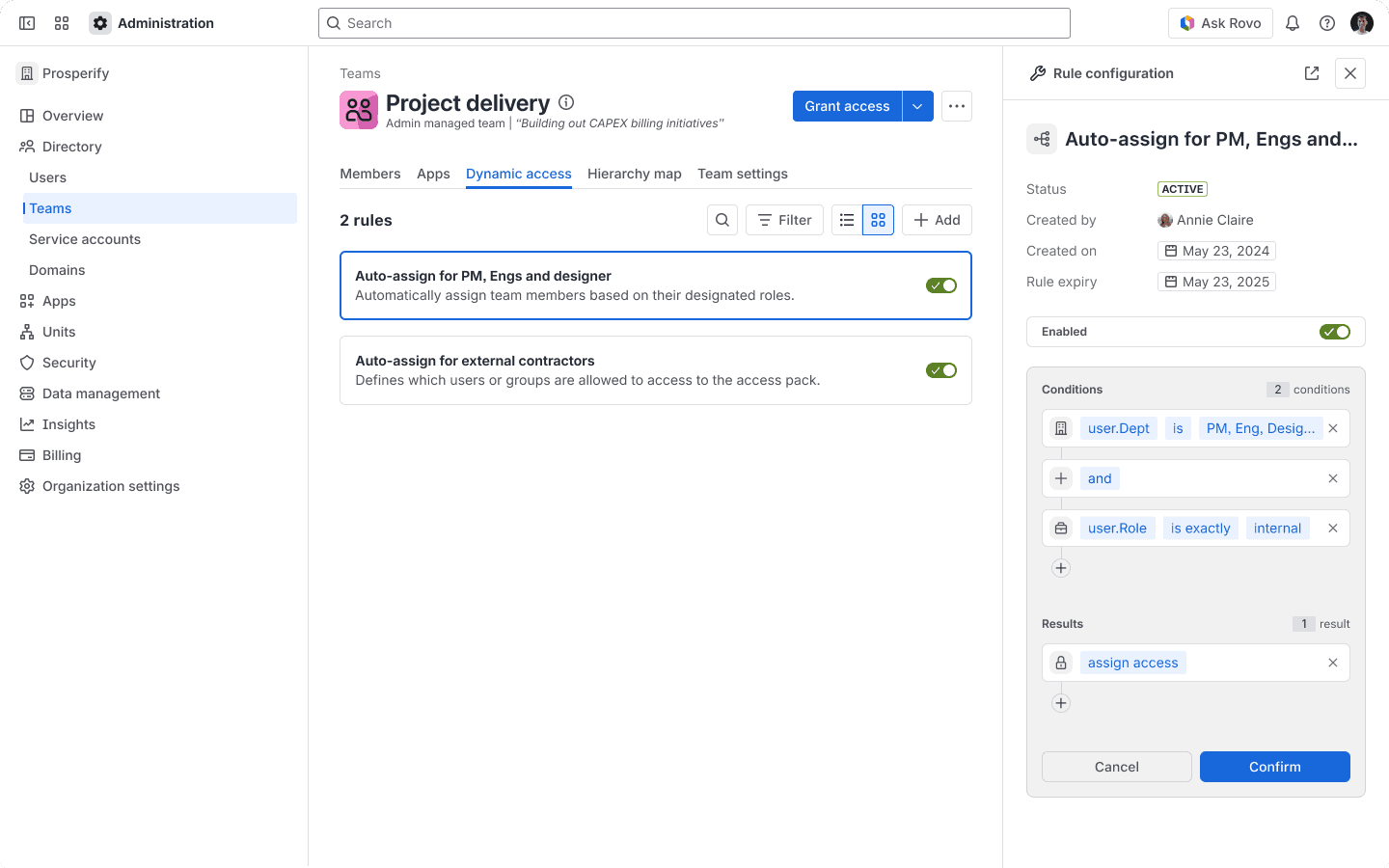
Dynamic teams (rule based membership) - rules can be built with single or multiple conditions and reused across the system. When conditions no longer apply, users are automatically removed.
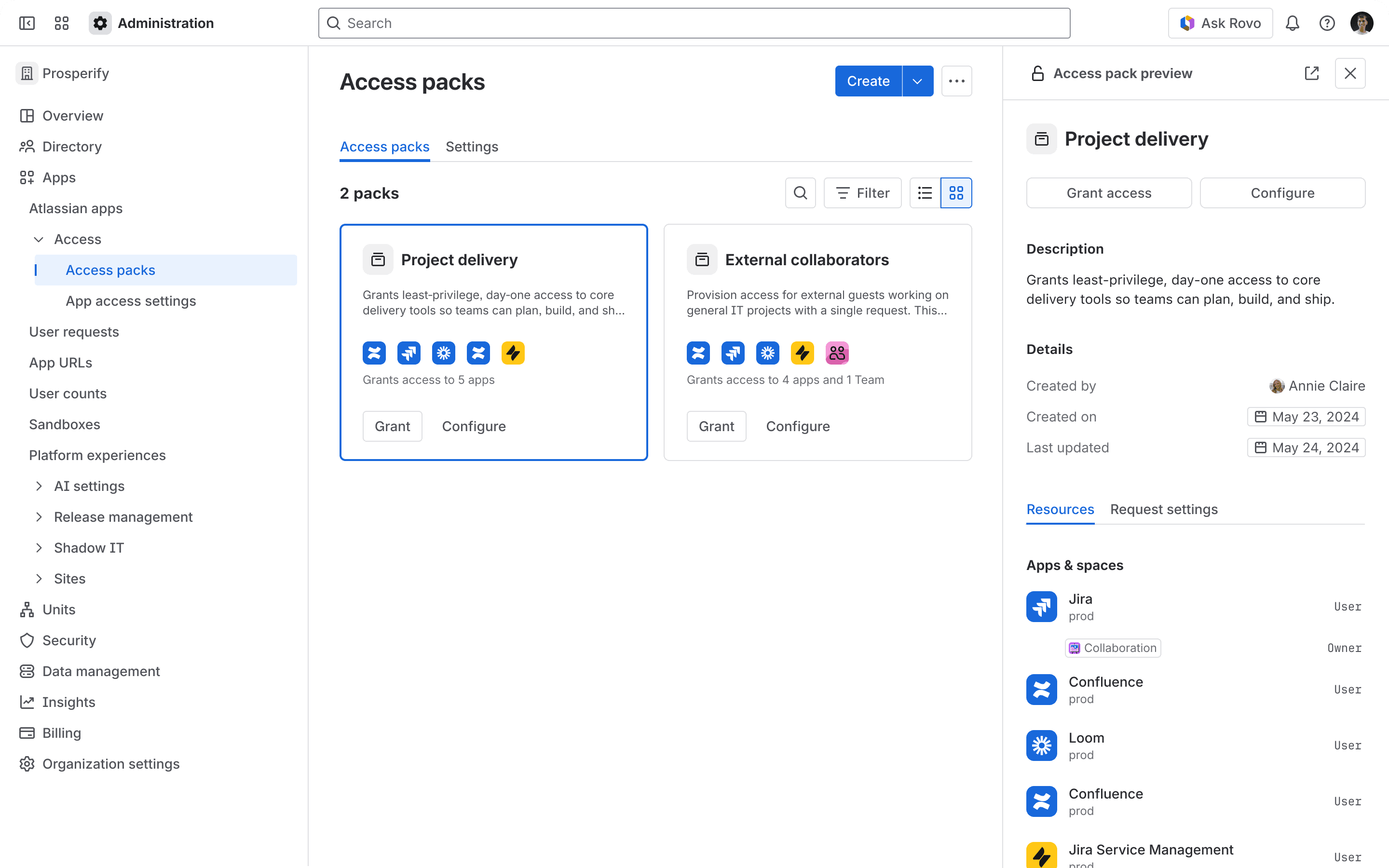
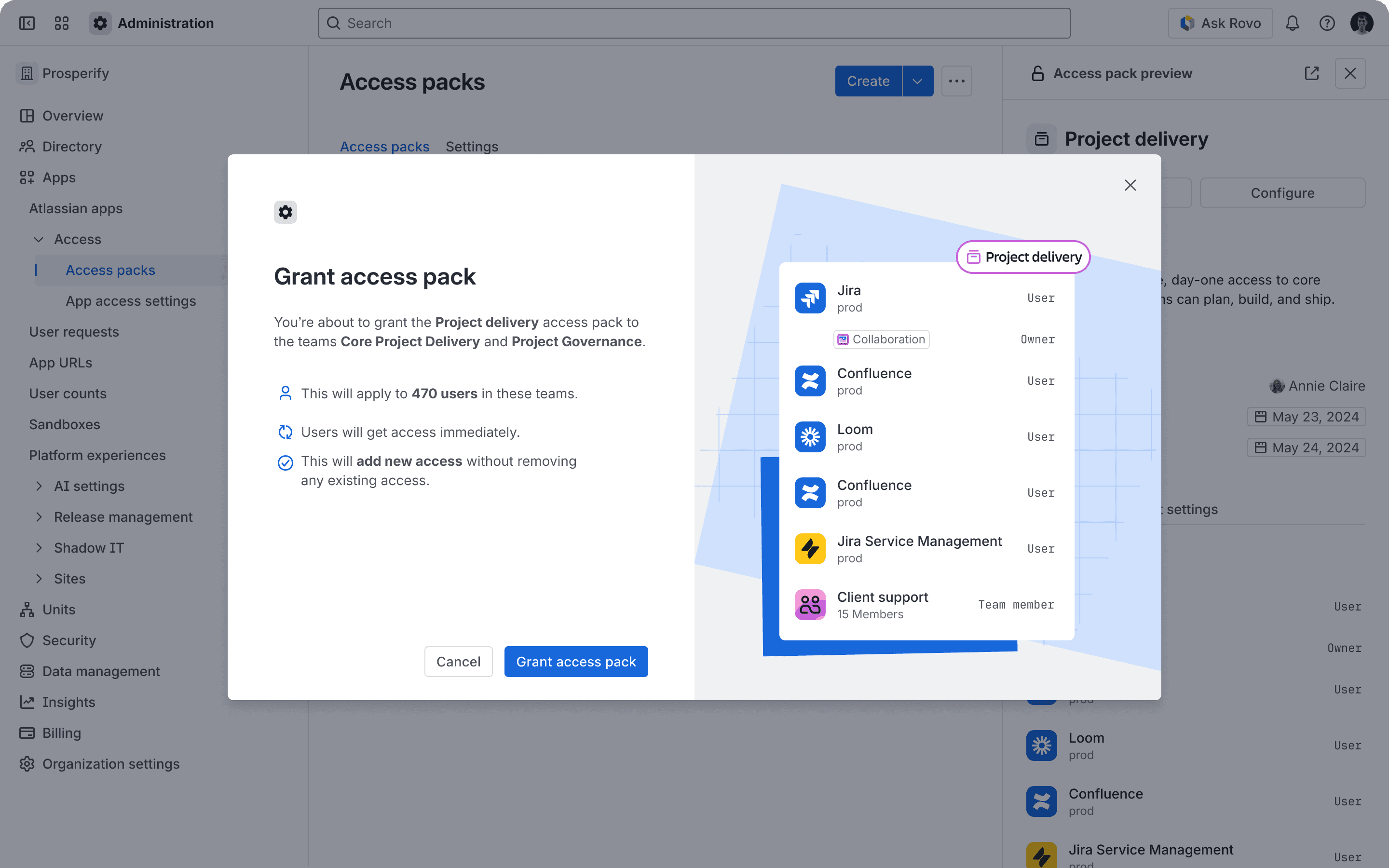
Access packs — simplify granting access by collapsing many concepts into one.
Impact of access management vision
Clarified what a better future should look like
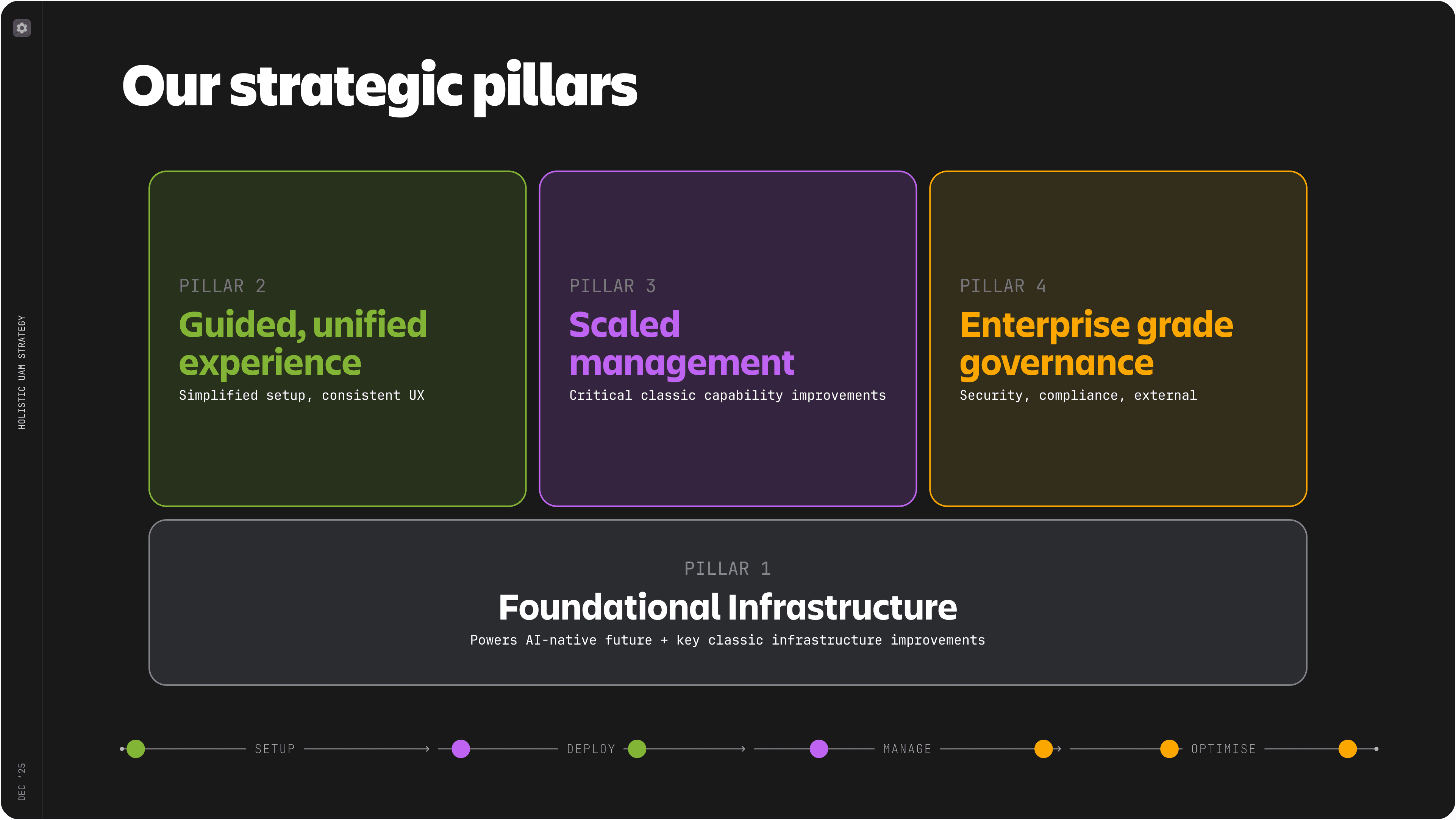
Its value was in shaping a clearer direction around guided setup, scaled management, governance, and stronger foundations for future AI-native admin experiences.
That direction later informed the broader UAX roadmap, but the impact of the vision itself was in creating alignment and a more scalable target state. It framed access management as infrastructure for faster onboarding, stronger governance, and more trustworthy automation, rather than just another set of admin screens. In that sense, the vision helped connect design to future business growth, customer confidence, and lower admin effort over time.
Reflection
Clearer system, more than just cleaner screens
This project reinforced that simplifying enterprise software is not just about making screens cleaner. The real work is making the underlying system understandable.
For unified access management, that meant clarifying the access model first, then translating it into flows, hierarchy, reusable patterns, and eventually a future vision for more automated and scaled administration.